React Native - IOS specific configuration
To enable push notifications for iOS, you need to configure specific capabilities and handle the necessary app delegate code. Let’s walk through these steps.
Update iOS pods
Run pod install in the ios folder of your React Native application to install/update the pod dependencies.
Add capabilities in iOS application
-
Open your React Native project in Xcode.
-
Inside the Targets section, select your app target, and go to Signing & Capabilities.
-
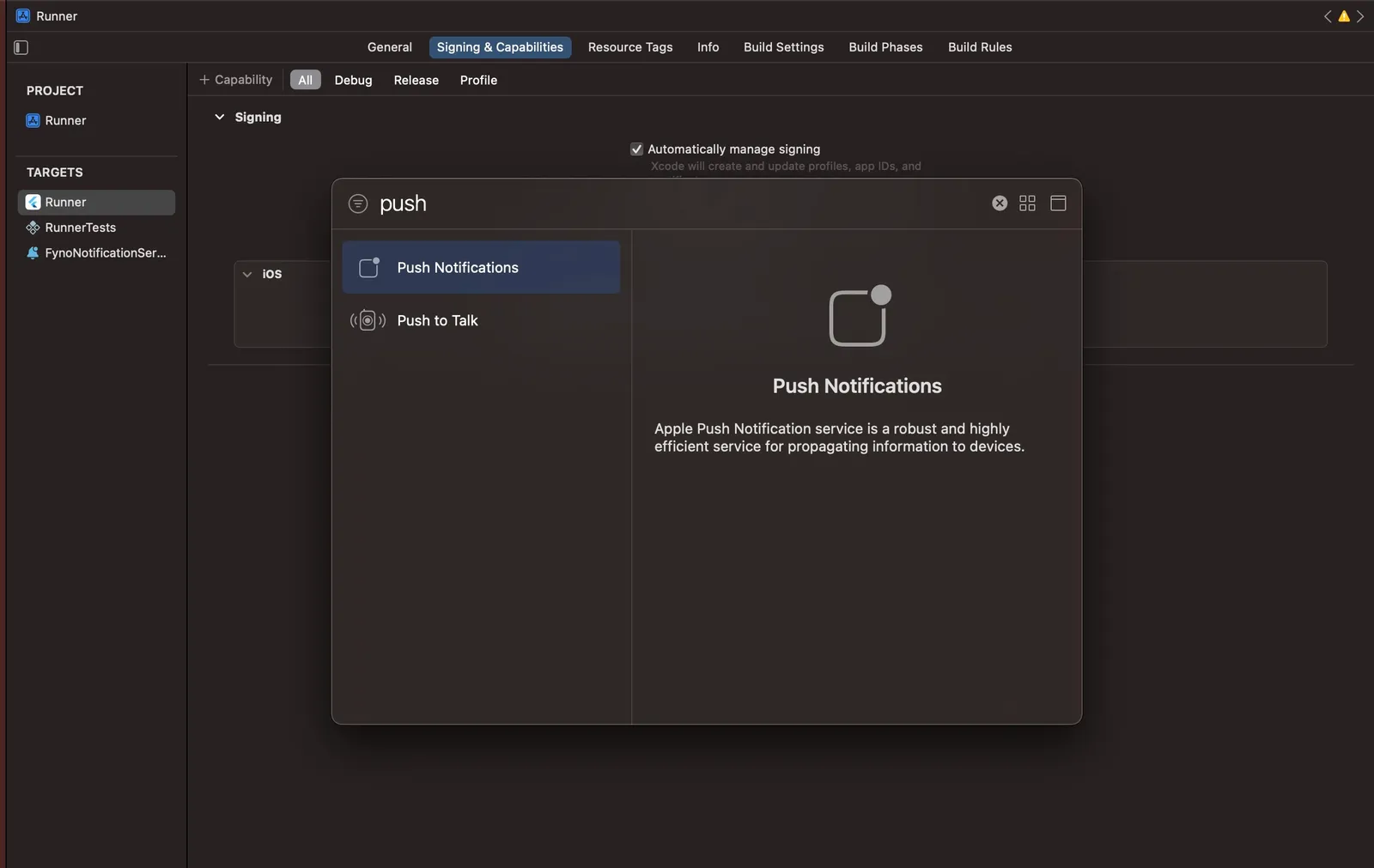
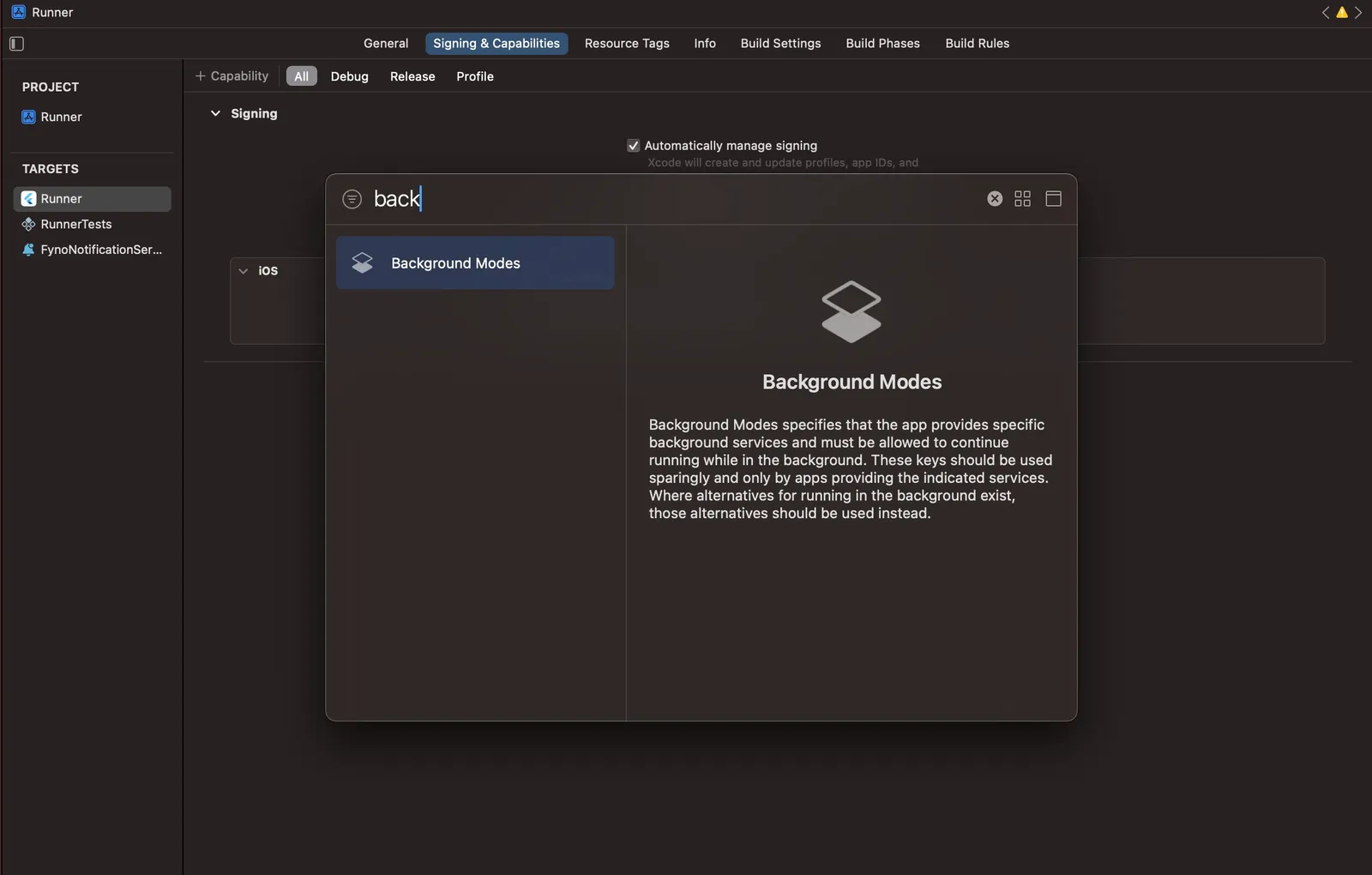
Click on + Capability and add Push Notifications and Background Modes capabilities.
-
In Background Modes, select the Remote Notifications option. This is required to receive background push notifications. Learn more about background notifications here.
Register for push notification in the AppDelegate file
To handle push notifications in your iOS app, add the following code to the AppDelegate file:
- Import the required packages:
AppDelegate.mm
AppDelegate.swift
- If you are using Firebase Cloud Messaging (FCM), add the Firebase imports:
AppDelegate.mm
AppDelegate.swift
- Make the required changes in the AppDelegate file
AppDelegate.mm
AppDelegate.swift
Add a Notification Service Extension
To ensure rich push notifications and proper handling of incoming messages, add a Notification Service Extension to your iOS project:
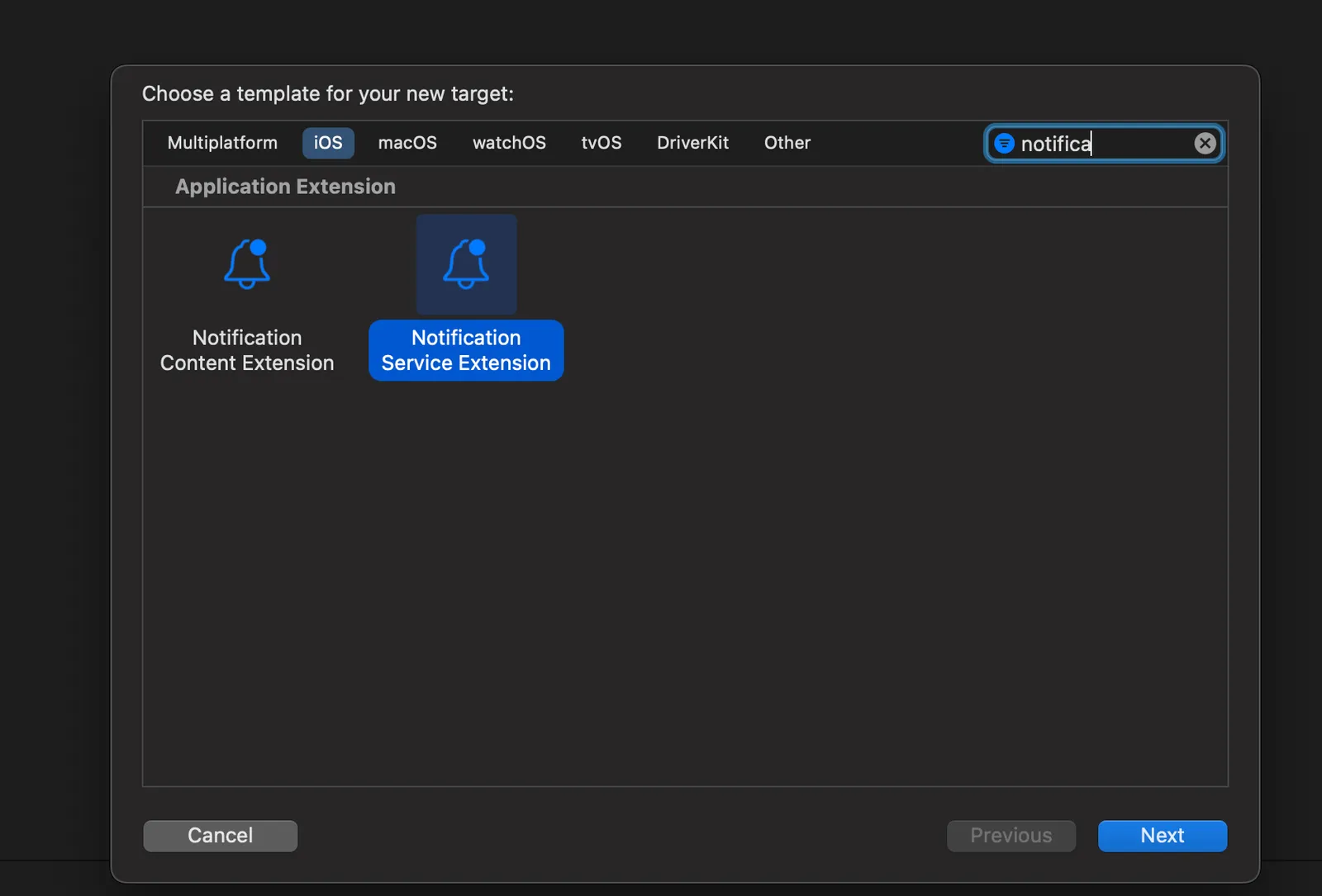
- In Xcode go to File > New > Target.
- Select
Notification Service Extensionfrom the template list. - Provide a product name, select your development team, choose the appropriate language, and click Finish.
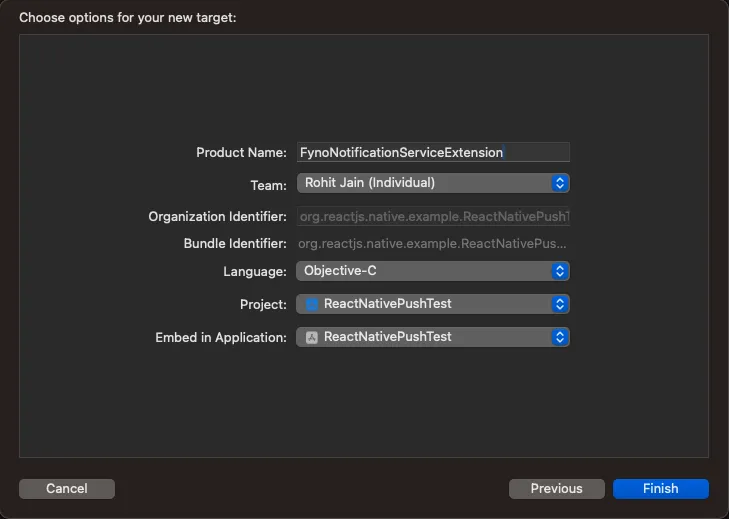
Replace the contents of the generated NotificationService file with the following code:
NotificationService.m
NotificationService.swift
Add Fyno SDK to the Notification Service Extension
In order for the Notification Service Extension to be able to access fyno, you will have to import it by following the below steps:
Objective-C
Swift
- In Xcode, select your Notification Service Extension target.
- Under
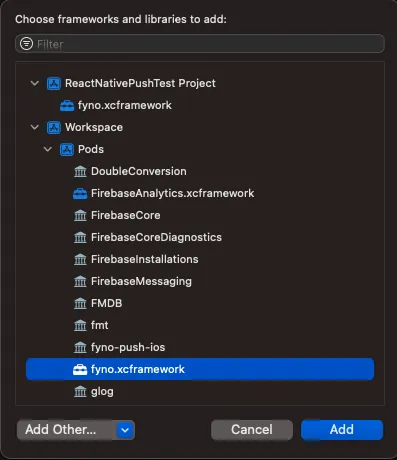
Frameworks and Libraries, click on the + button.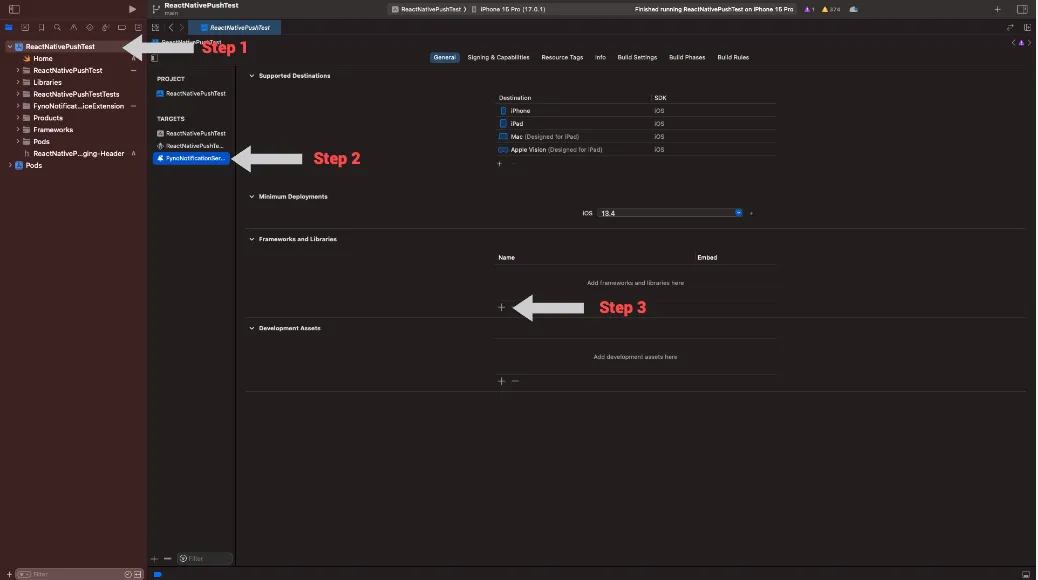
- Select the framework named fyno.xcframework and click on Add