

Subflow within Workflows
Overview
The Subflow feature introduces reusable and loop-based execution within workflows. Instead of restricting workflows to linear execution, Subflows allow workflows to dynamically redirect execution to another node within the same workflow while preserving workflow context and execution state.
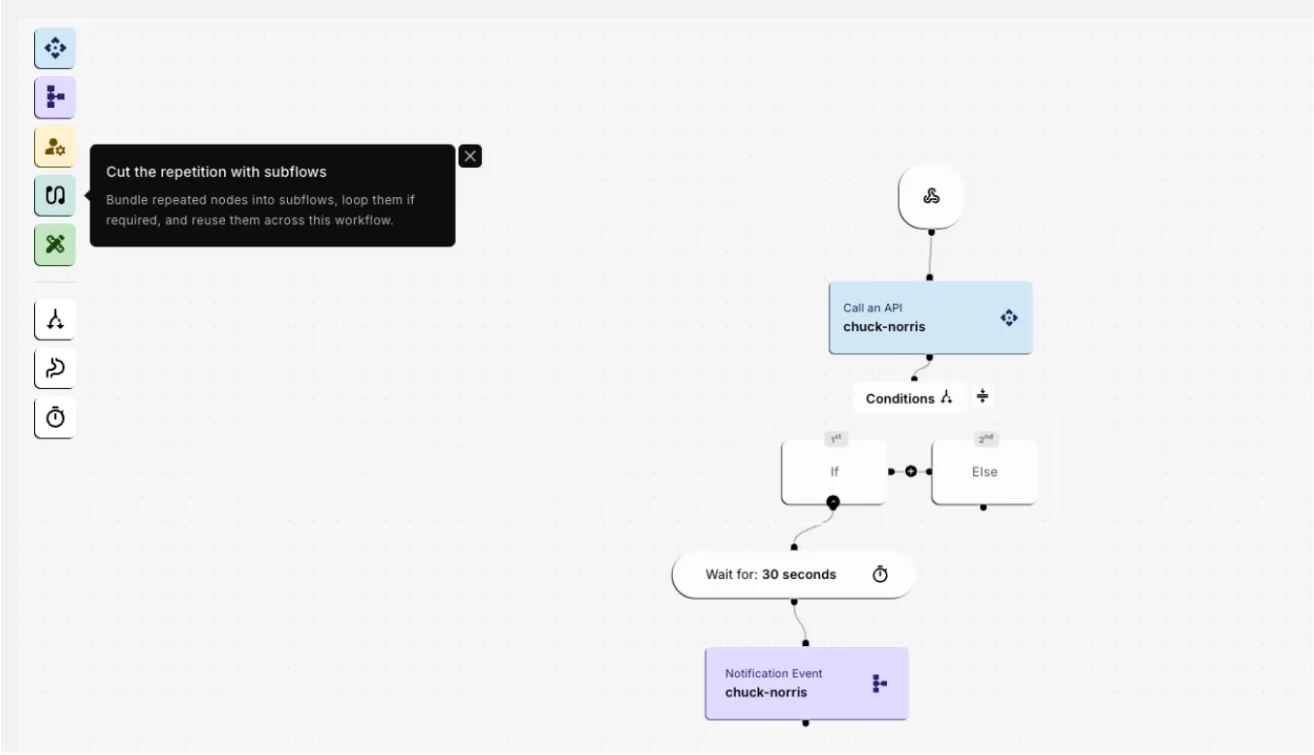 This enables workflows to:
- Redirect execution dynamically.
- Repeat sections of workflows until conditions are met.
- Reuse common workflow logic.
- Preserve variables, counters, API responses, and execution state across iterations.
Subflows are especially useful for:
- Authentication recovery
- Retry handling
- Polling workflows
- Conversational journeys
- Bulk operations
- Reusable API orchestration
Benefits of Subflows
Subflows help users:
- Bundle repeated workflow nodes into reusable execution units.
- Redirect workflow execution dynamically.
- Repeat sections of workflows until conditions are met.
- Reuse common logic without duplicating workflow branches.
- Maintain workflow variables, counters, API responses, and execution state across iterations.
This allows workflows to behave dynamically instead of following rigid sequential execution paths.
Creating and Configuring a Subflow
Steps to configure a Subflow
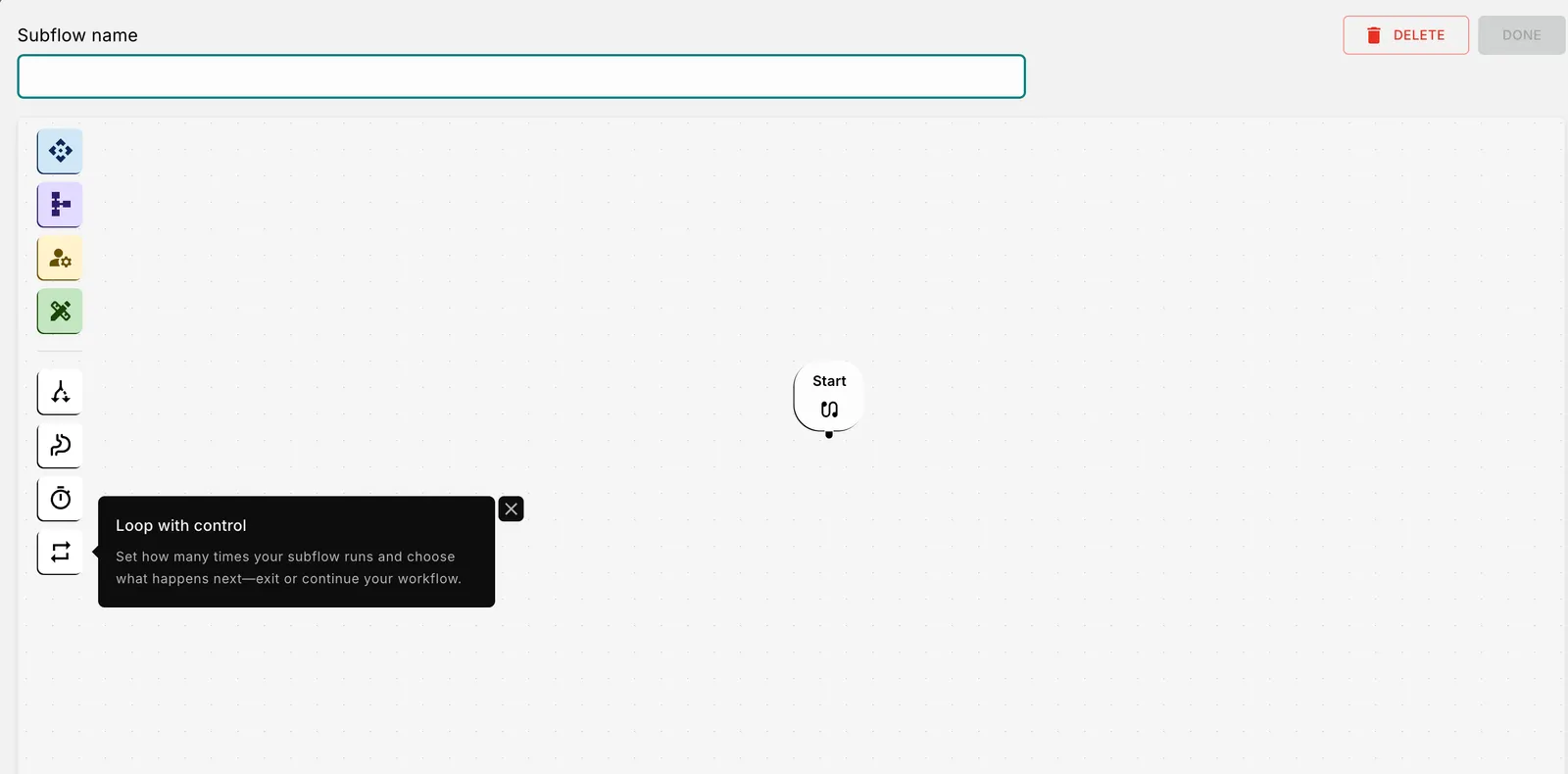
Build the reusable subflow by adding workflow nodes such as:
- API Calls
- Conditions
- Wait Steps
- Notifications
- Variable Updates
- Authentication Handlers
Example Flow:
Add a Loop or Redirect node wherever the workflow execution should repeat.
Configure:
- Continue conditions
- Retry conditions
- Exit behavior
- Target node for redirection
This allows the workflow to dynamically jump back to earlier nodes while preserving workflow state.
Define fallback behavior for scenarios where:
- Retry limits are exceeded.
- Conditions fail.
- APIs continue failing.
- Loop conditions are no longer satisfied.
Example fallback actions:
- Exit workflow
- Send notification
- Trigger alternate flow
- Log failure event
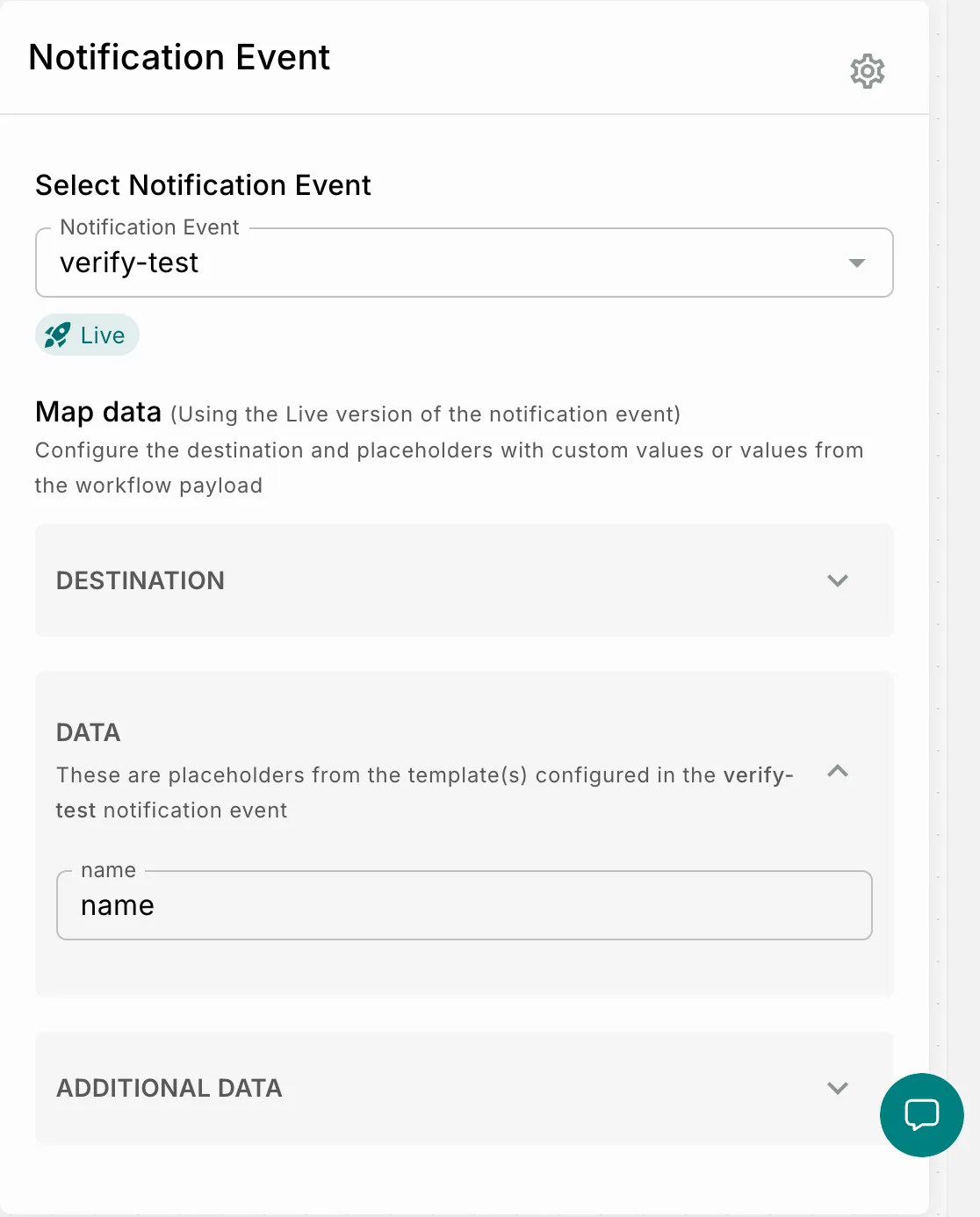
Optionally store payload data returned from the subflow.
The payload is stored in JSON format and can later be accessed using workflow variables.
Supported Use Cases
Subflows can be used for:
- Retry handling.
- Authentication recovery.
- Polling workflows.
- Bulk processing.
- Conversational loops.
- Reusable API orchestration.
Use Cases
Authentication Refresh and Retry Handling
Long-running workflows often depend on authentication tokens for downstream API execution. During workflows involving waits, retries, or asynchronous processing, tokens may expire before the next API call executes.
Without a recovery mechanism, downstream APIs may fail and interrupt customer journeys.
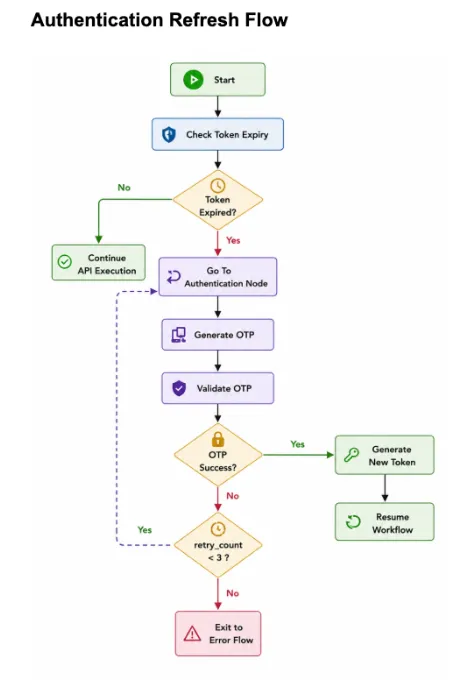
Using Subflows:
- The workflow validates whether the authentication token is still active.
- If expired, execution redirects back to the authentication node.
- The workflow generates and validates a fresh OTP.
- The access token is refreshed.
- Workflow execution resumes from the original flow path.
The same reusable flow can also handle OTP retries by redirecting execution back to the authentication step until retry limits are reached.
Benefits
- Eliminates duplicated authentication branches.
- Improves workflow reliability.
- Simplifies retry management.
- Preserves execution context during retries.
Bulk Card Blocking Flow
Enterprise workflows often process dynamic lists where the number of records is unknown during workflow design.
Example:
- Bulk card blocking in banking workflows
Without looping support:
- API nodes are duplicated multiple times.
- Separate workflows are created for different record counts.
- Maintenance becomes difficult.
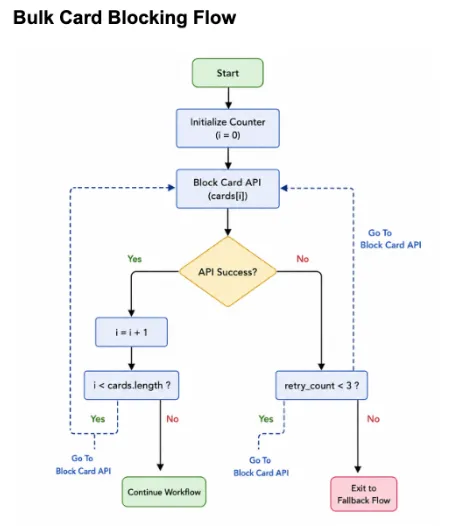
Using Subflows:
- The workflow initializes a counter.
- Processes the current card using the block-card API.
- Evaluates whether additional cards remain.
- Redirects execution back to the block-card node if more cards exist.
- Automatically retries failures until retry limits are reached.
This enables a single workflow structure to process any number of cards dynamically.
Benefits
- Eliminates duplicated workflow branches.
- Supports scalable bulk operations.
- Simplifies workflow maintenance.
- Improves retry handling for failed operations.
Outcome
The Subflow feature enables workflows to become significantly more dynamic, scalable, and maintainable.
By supporting:
- Reusable execution paths.
- Looping behavior.
- Retry handling.
- Workflow redirection.
builders can create workflows that adapt to real-time conditions instead of relying on rigid sequential execution.