

User Profile Widget within a Workflow
Fyno allows you to update a user profile or fetch user profile details within a workflow. This is helpful when you need to decide what notifications to send based on a user property, or to update a channel or user property linked to a profile based on the data received in the webhook.
To add a user profile within a workflow, drag and drop the User Profiles widget into the workflow. You can perform 5 different actions with it.
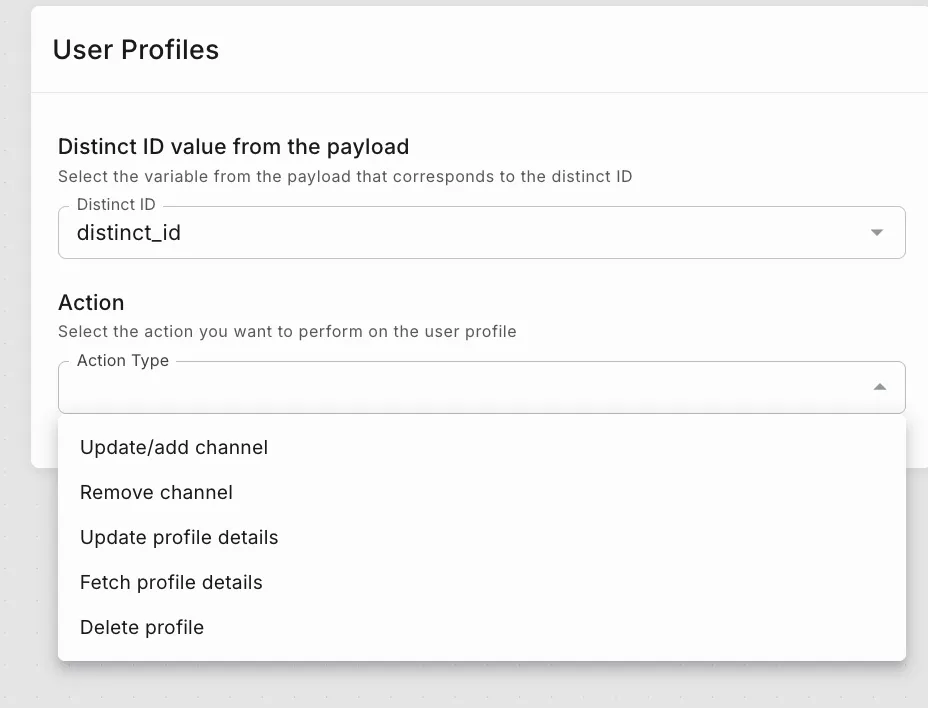
Example
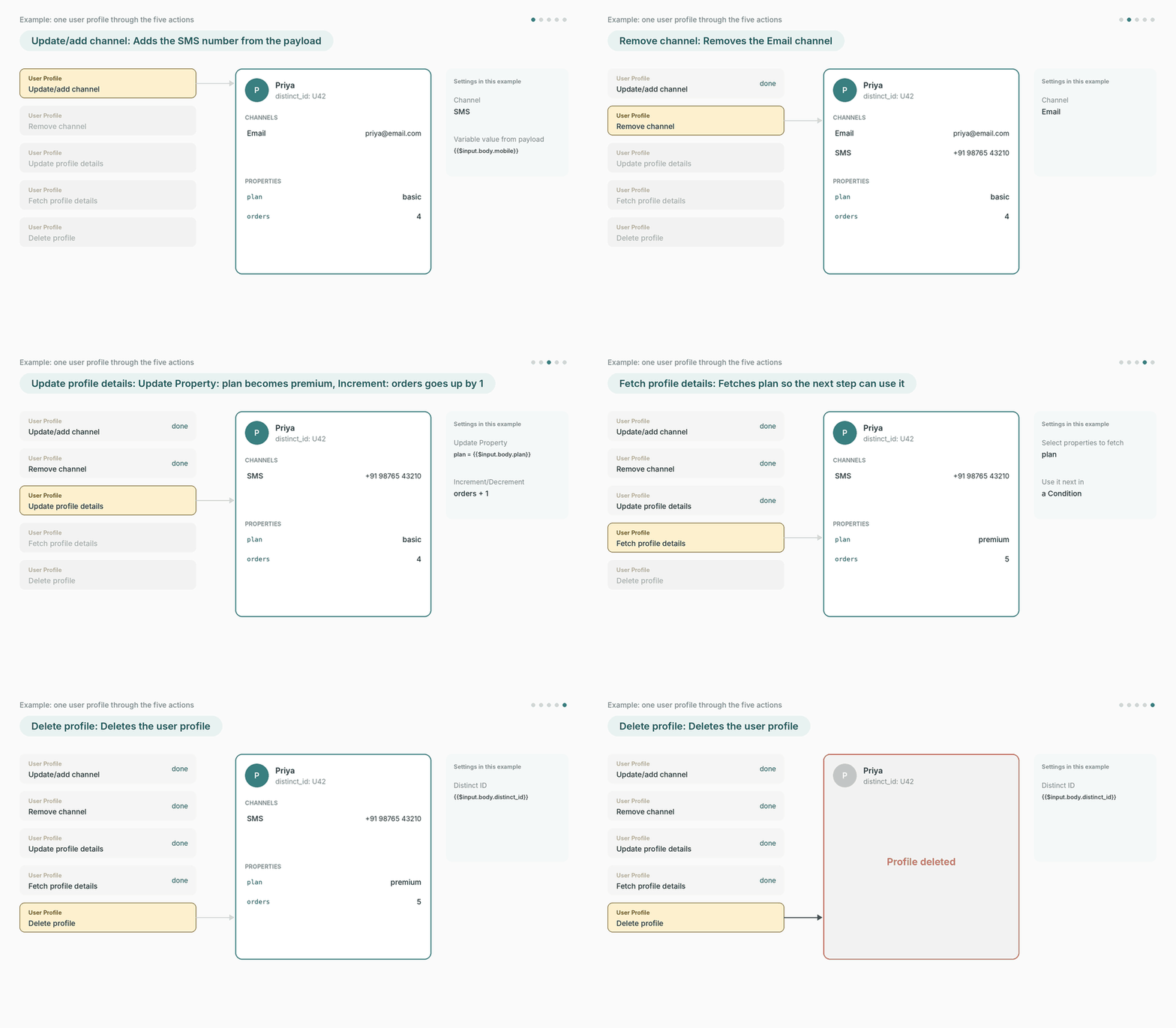
The animation below takes one user, Priya, through all five actions in turn: her SMS number is added, her Email channel is removed, her plan is updated and her order count goes up, her plan is fetched for the next step, and finally her profile is deleted.
Set up the widget
Every action starts with the same two fields. Here they are being filled in.
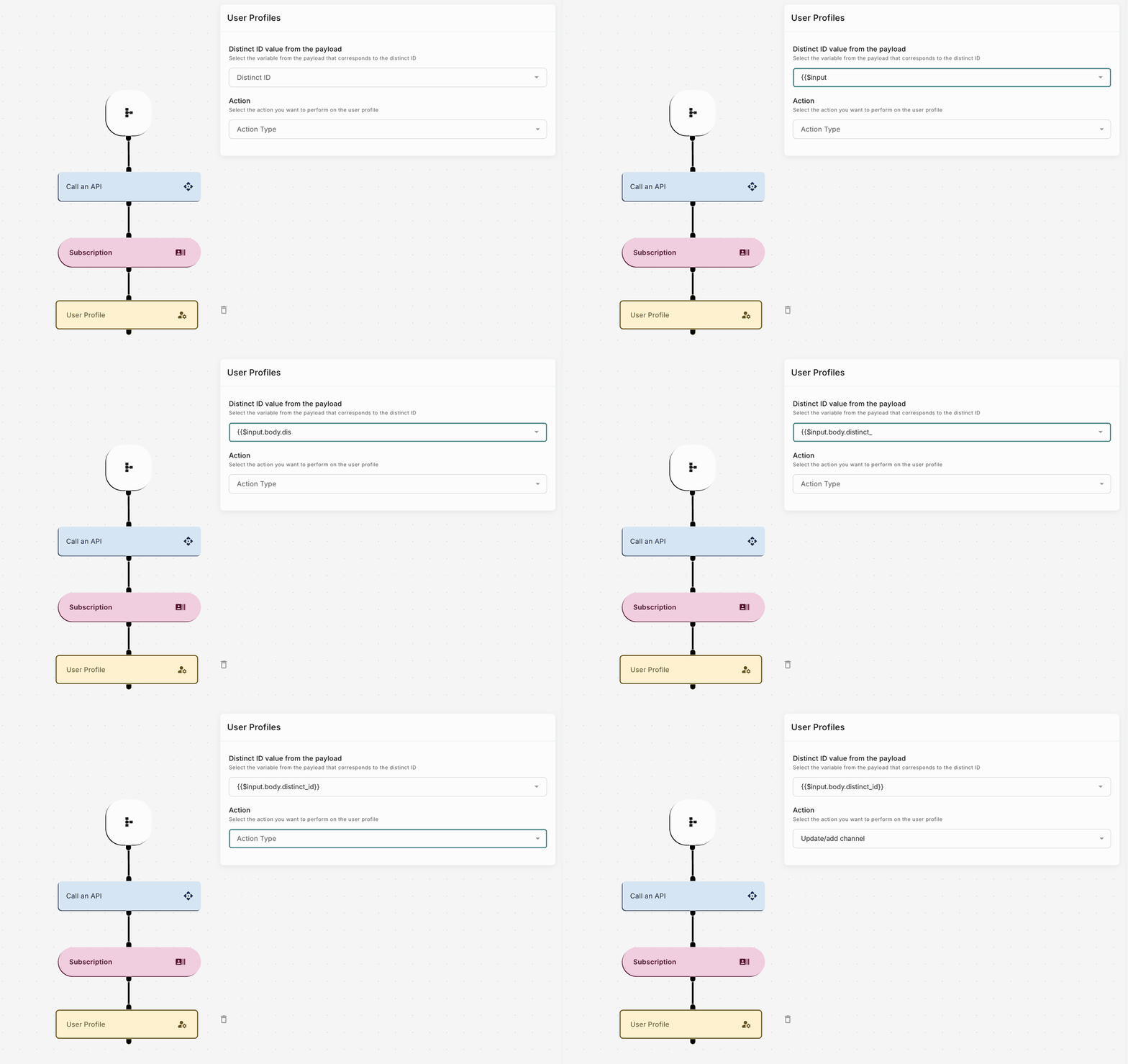
- Under Distinct ID value from the payload, select the variable from the payload that holds the user’s distinct ID, for example
{{$input.body.distinct_id}}. - Under Action, select the action you want to perform from Action Type.
Then fill in the fields for that action.
Update/add channel
Remove channel
Update profile details
Fetch profile details
Delete profile
To add a new channel or update the existing channel details, use this action.
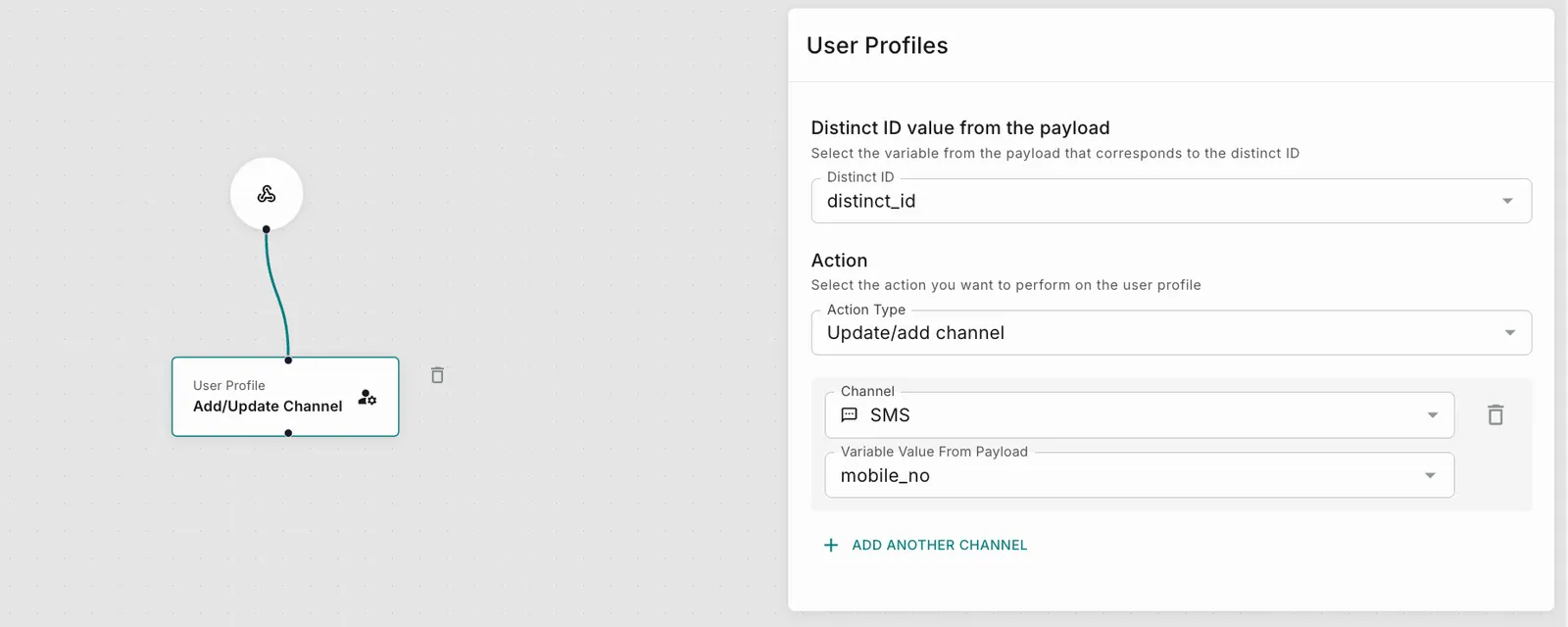
You can add multiple channel details to add or update.