For AI agents: a documentation index is available at the root level at /llms.txt and /llms-full.txt. Append /llms.txt to any URL for a page-level index, or .md for the markdown version of any page.
LoginTalk to us
DocumentationSDKsConnectAPI Reference
    • Home
    • Release Notes
  • Getting Started
    • Quickstart
    • Dashboard
    • Alarms
    • Versioning
  • Core Features
    • Integrations
    • Templates
    • Routes
    • Notification Events
    • Requests/Go Live
    • Logs
  • Advanced Features
    • Workflows
    • Campaigns
    • User Profiles
    • Approval Request
  • Settings
    • Profile Settings
    • Workspaces
    • Workspace Settings
      • Push Token Cleanup
      • Report Extraction
      • Report Details
      • Data Retention
      • Suppression List
      • Conversation Logs
      • Conversion Tracking
      • Analytics Label
      • Duplicate Message Check
LogoLogo
LoginTalk to us
On this page
  • How to add analytics label?
SettingsAdd-Ons

Analytics Label

Was this page helpful?
Previous

Duplicate Message Check

Next
Built with

Analytics Label enables you to group analytics of different notification events or filter analytics of a single notification event. All labels values must be configured here.

To enable it,

1Go to Workspace Settings.
2Select Add-Ons.
3Click ‘Configure’ in Analytics Label card.

How to add analytics label?

In the analytics label page, you can add up to 16 labels. You can click ‘Add Label’ for adding new labels. Once you have added all the labels, click ‘Save Changes’.

Analytics label character limit is 100 characters.
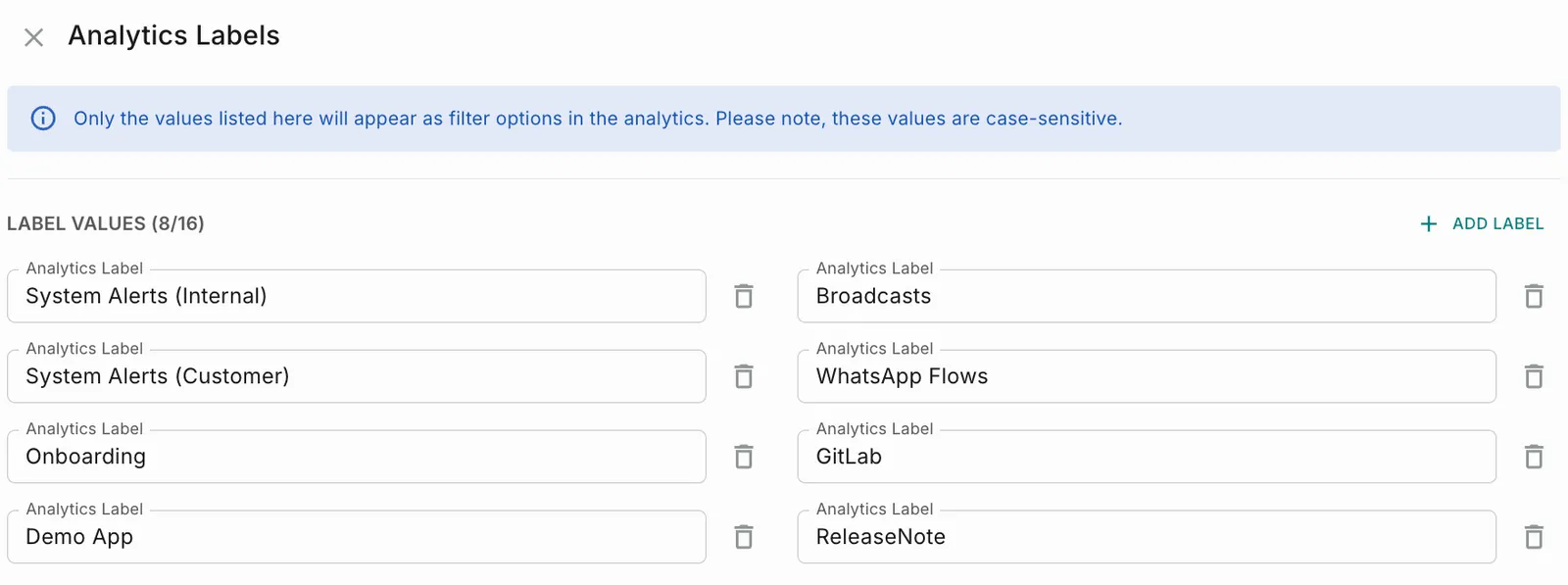
Only the analytics label added will appear as filter options in the analytics. These values are case-sensitive.