

Create and Configure SMS Template
Navigation
Go to → Templates → External → SMS → Create
Configure Template Content
Basic Details
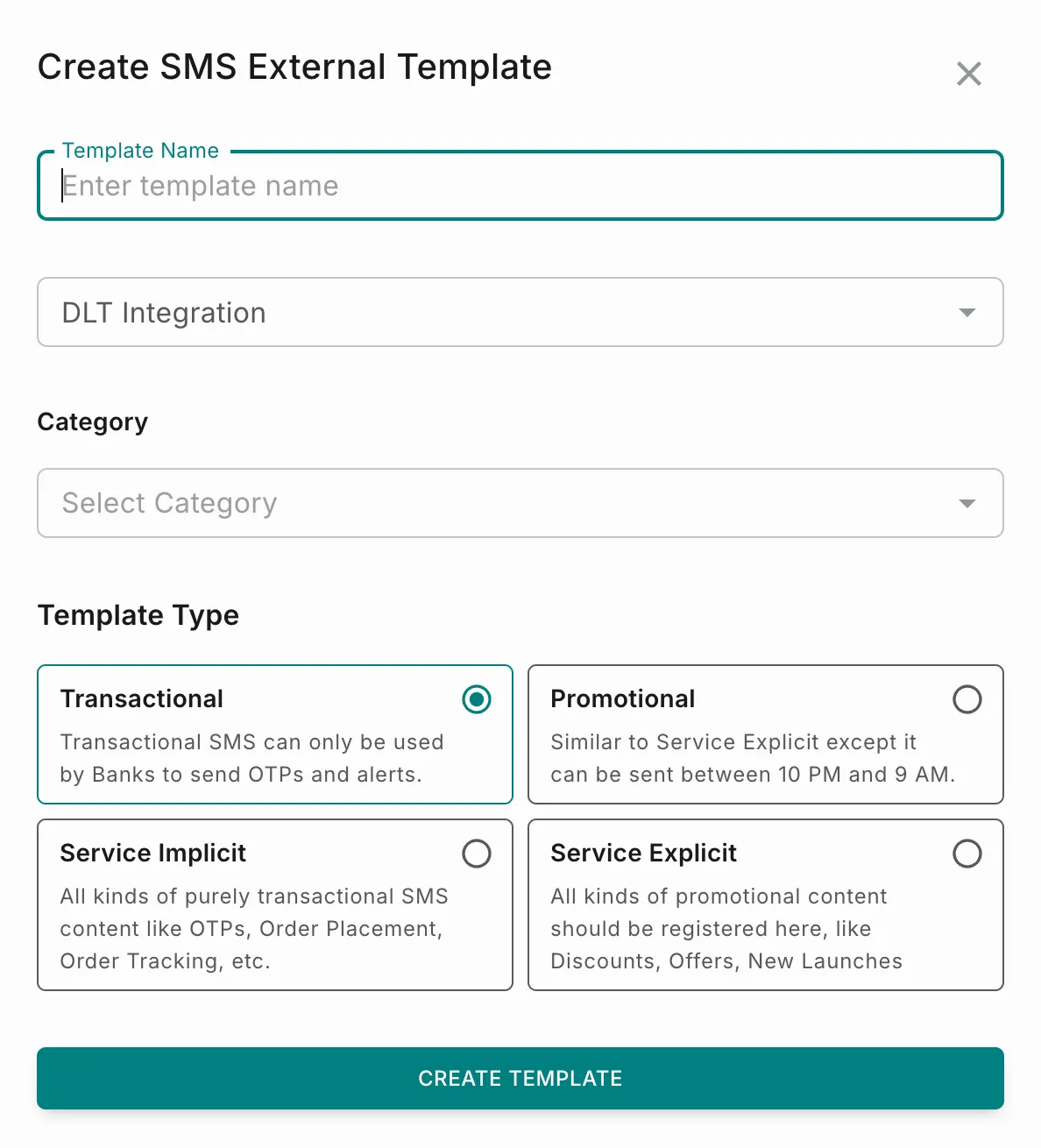
Template Type Selection
Select one of four template types before configuring content. Each option shows inline guidance in the dialog:
NOTE: For detailed use cases and DLT-compliant message formats for each type, see Template Types.
Select a Template Type, then select Create Template to open the template editor. The editor is split into two panels: the configuration form on the left, and a live SMS preview on the right. This layout and the fields below are shared across all four template types.
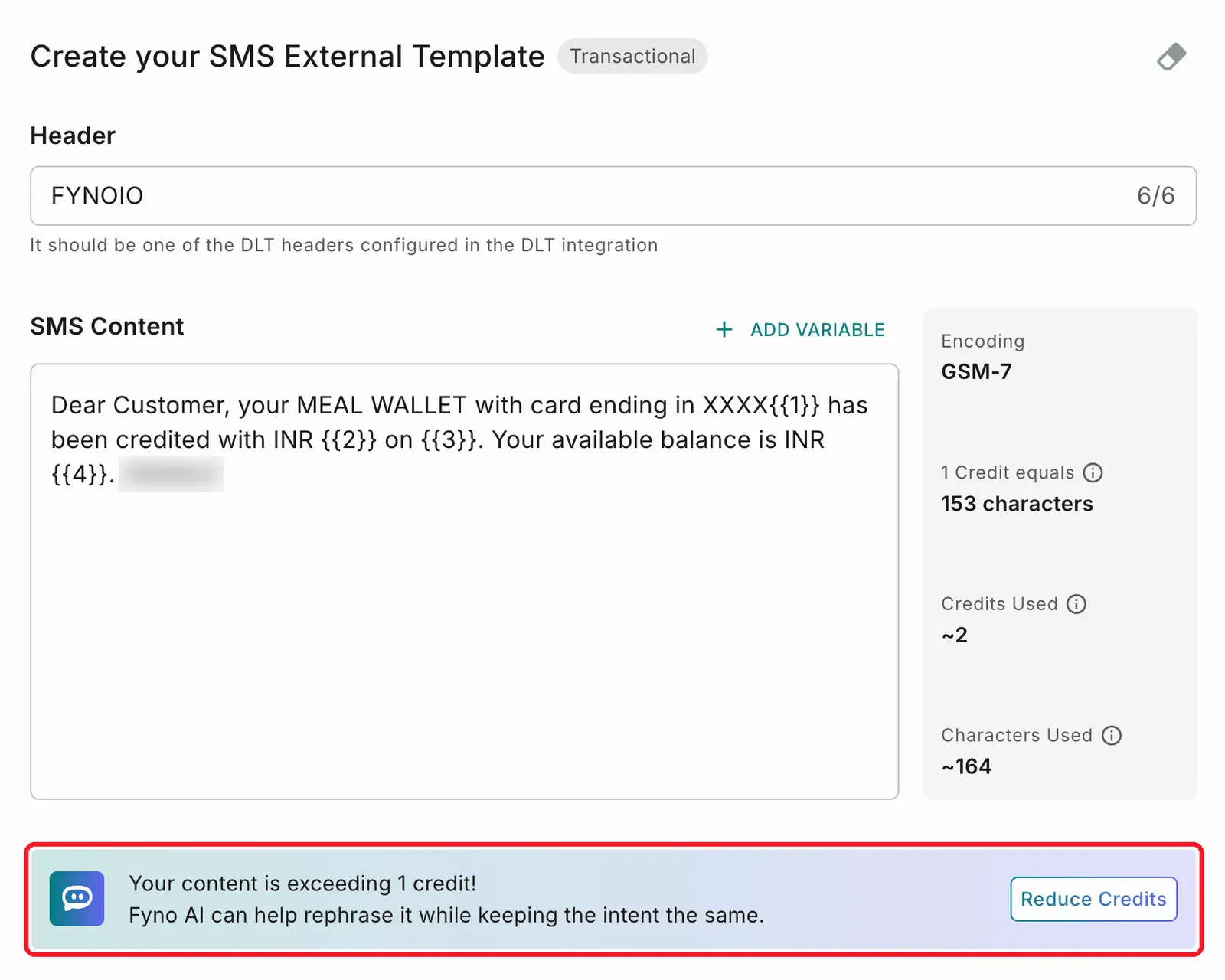
Header
Enter the sender header for the message. This must match one of the DLT-registered headers already configured in your DLT integration (for example, FYNOIO). The field shows a live character counter.
SMS Content
Enter the message body. Use + Add Variable to insert a placeholder rather than typing it manually. Variables appear as numbered placeholders in the order added — {{1}}, {{2}}, {{3}}, and so on.
As you type, a stats panel next to the content box updates in real time:
If the content exceeds 1 credit, a banner appears with a Reduce Credits action. See Reduce Credits with Fyno AI.
Reduce Credits with Fyno AI
If the message exceeds 1 credit, a banner appears below the SMS Content box. Select Reduce Credits in the banner to reduce the credits using Fyno AI.
To reduce credits:
-
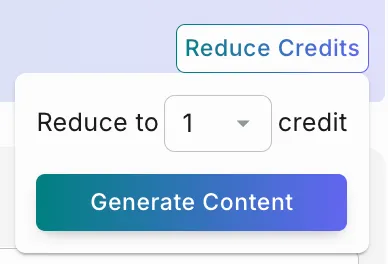
Select Reduce Credits.
-
If the message uses more than 2 credits, choose a target in Reduce to [n] credit, then select Generate Content.
-
Fyno AI rephrases the content in three steps: it reads the content, keeps every variable you added, and trims the length without changing the meaning. Select Cancel to stop at any point.
-
Review the suggested content, then select one of the following:
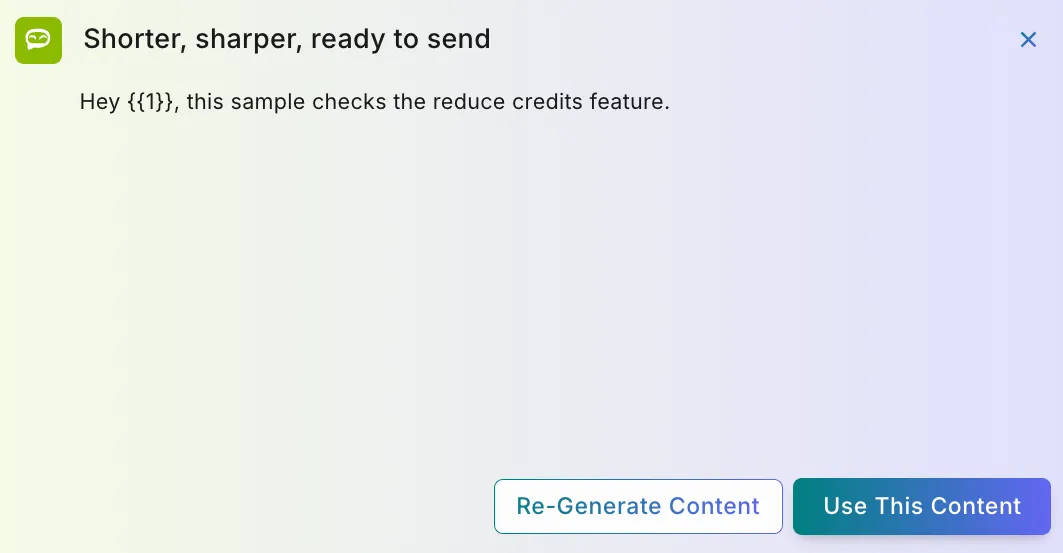
- Use This Content to replace the text in the SMS Content box.
- Re-Generate Content to try again. You can describe what to change and, optionally, select feedback on what went wrong with the previous output to help us improve our AI features. Then select Generate.
If Fyno AI can’t reduce the credit count, it shows “Oops! That didn’t go as planned.” Select Try Again to retry with different guidance, or View previous Content to keep your original message.
NOTE: Rephrased content is new content for DLT. Submit the template for approval again before using it.
Sample for Body Content
Below the SMS Content box, a Sample for Body Content panel lists one input per variable used in the message, so the DLT provider can review the template with representative values.
- Do not enter real customer data — sample values only.
- Each input is typed to match the kind of value the variable will hold, shown as an icon inside the field.
- All sample values are required. An empty field is outlined in red with “Sample value is required” until filled in.
NOTE: Templates with no variables (fully static content, as in some Service Implicit messages) don’t show this panel.
SMS Preview
The preview panel shows how the SMS will appear on a mobile device, using the Header as the sender name. You can:
- Validate formatting
- Check variable placement
- Review message length
The system automatically calculates:
- Character count
- Number of SMS credits
Encoding and Credits
GSM-7 Encoding
- 1 credit = 160 characters
Unicode Encoding
Enable this checkbox to send a unicode message if the content or placeholder values may contain unicode or non-English characters.
Enable Unicode Message When:
- Using regional languages.
- Variables may contain Unicode text.
NOTE: If the message isn’t marked as unicode and either the content or placeholder values contain unicode characters, it might not be delivered correctly. SMS providers may also charge more for unicode messages.
Saving and Submitting
At the top of the editor:
- Save As Draft — stores the template without sending it to the DLT provider.
- Send To Provider — submits the template for DLT approval.
The page header shows who created the template and when (e.g., “Created – 13d ago”), the current status (e.g., “Sent to provider for approval”), and a history icon to view prior versions.