Data Retention
Data Retention shows the retention period of different logs and versions managed by Fyno. You can access this from Workspace Settings (bottom left corner in menu) -> Add On’s -> Data Retention.
Reports
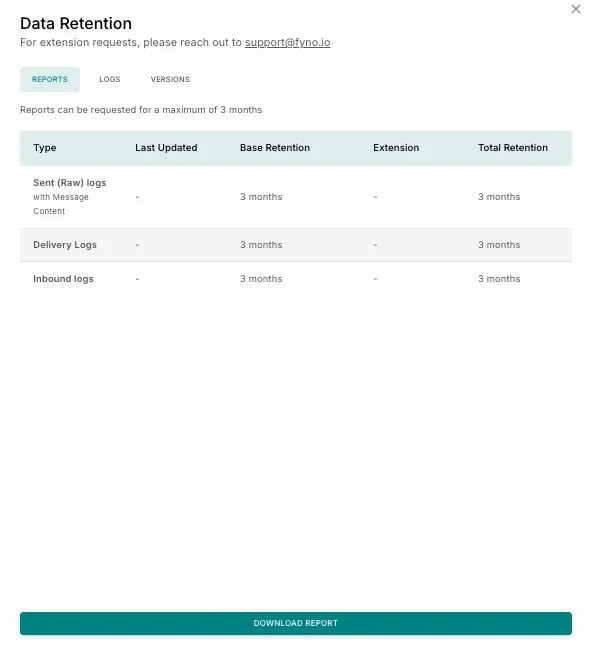
The Reports tab provides visibility into your report data retention and archival policy. It helps you understand how long log data is stored and available for access, which is useful for auditing, debugging notification flows, analyzing delivery performance, or sharing insights with internal teams.
You can also request and download reports from this tab when needed. The “Download Report” option is a convenience shortcut and uses the same flow as the “Request Report” action in the Report Extraction card.
 Using the Reports tab, you can:
- Retrieve historical log data within the retention window.
- Generate downloadable reports for offline analysis.
- Filter data based on specific time ranges and log types.
Note: Reports can be requested for a maximum duration of 3 months (varies depending on the user, workspace, tier, etc.), based on the retention policy.
Logs
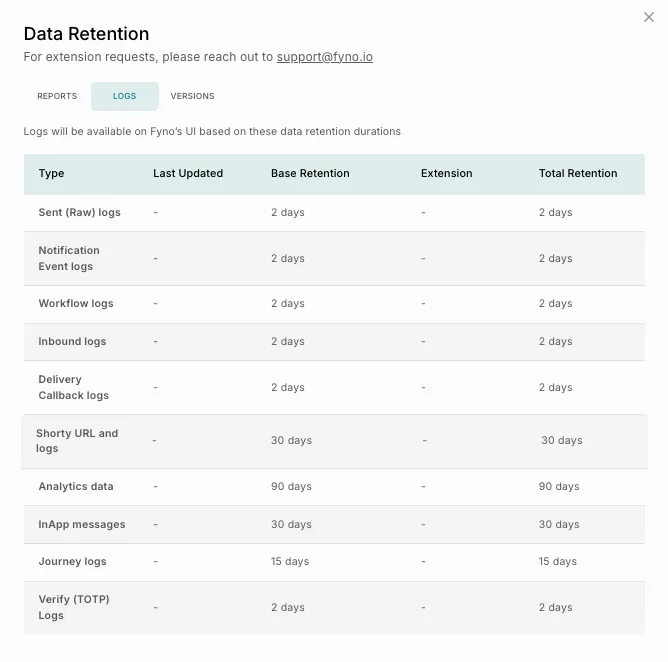
By default, we provide the following retention period. If you want to extend the retention period beyond the default duration, please write to support@fyno.io.
For example, if you trigger a notification event on 1st January, you will be able to view the Sent logs and Notification Event logs till 8th January based on Default Retention Policy.
To download the logs, click Extract Report and it will take you to Report Extraction Page.
Versions
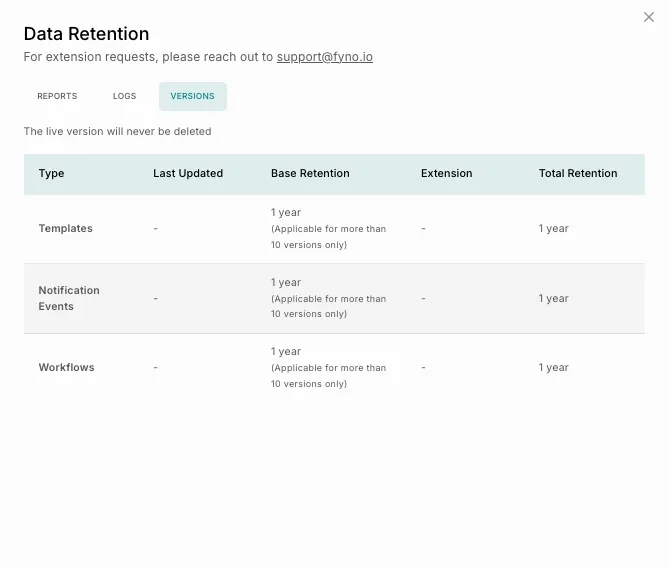
This settings highlights the retention period of test versions of templates.