

Spreadsheet Widget
The Spreadsheet widget writes data from your workflow to an external spreadsheet, supporting both Microsoft Excel workbooks and Google Sheets.
 You can use this widget to:
- Record workflow execution details.
- Capture customer or transaction data.
- Maintain audit logs.
- Create reporting datasets.
- Share information with teams through spreadsheets.
After connecting the Spreadsheet widget to a Google Spreadsheet or Microsoft Excel workbook, you can configure one or more worksheets and map the required columns for use in your workflow.
Supported Spreadsheet Types
When adding a Spreadsheet Widget, select one of the following connection types:
- Microsoft Excel
- Google Spreadsheet
The configuration fields displayed depend on the selected spreadsheet type.
Microsoft Excel
Use this option to connect to an Excel workbook stored in Microsoft SharePoint.
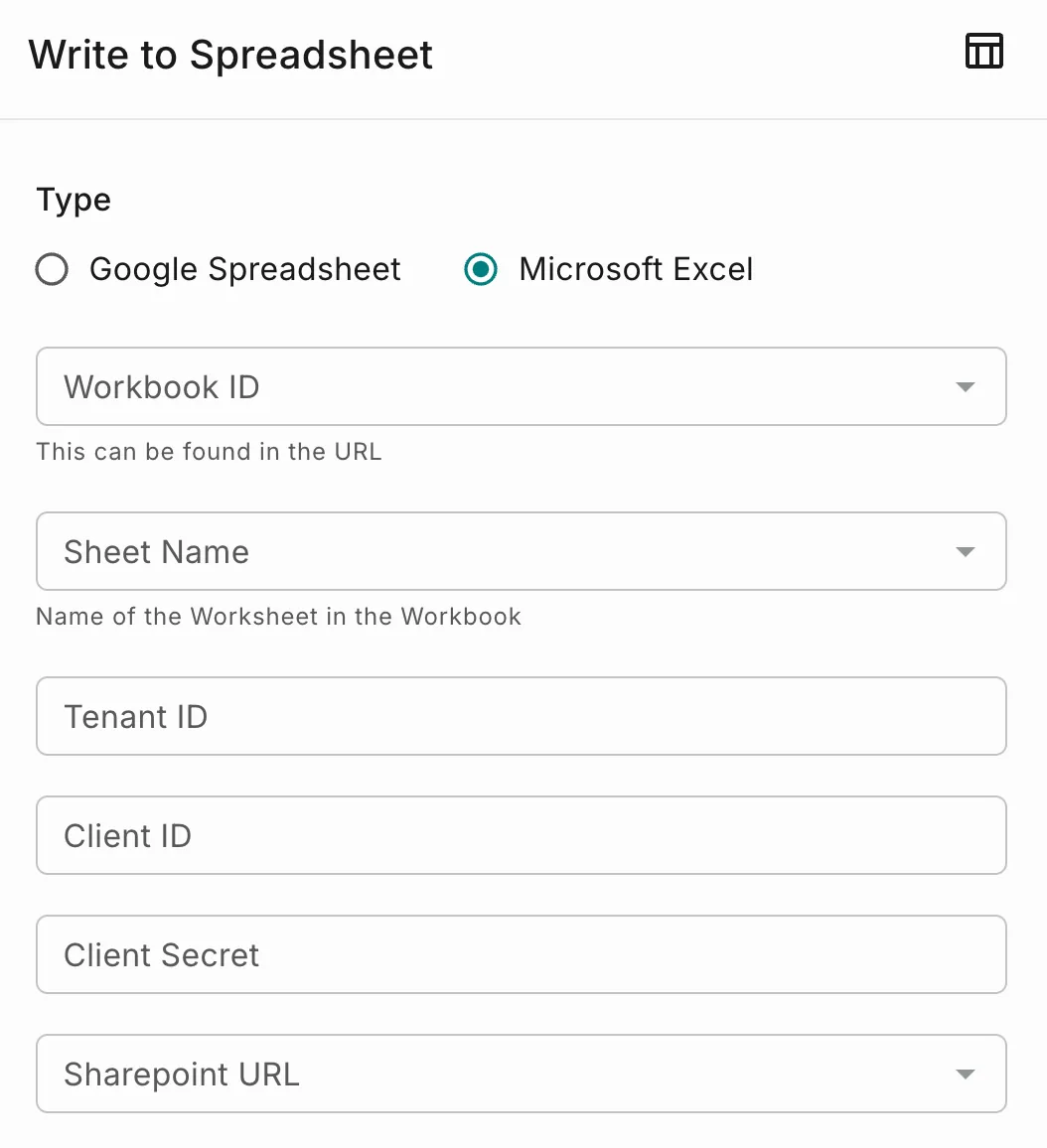
Configuration
After selecting Microsoft Excel, provide the following details:
Values to Write to the Sheet
After selecting the worksheet, configure the values to write by mapping worksheet columns to workflow data.
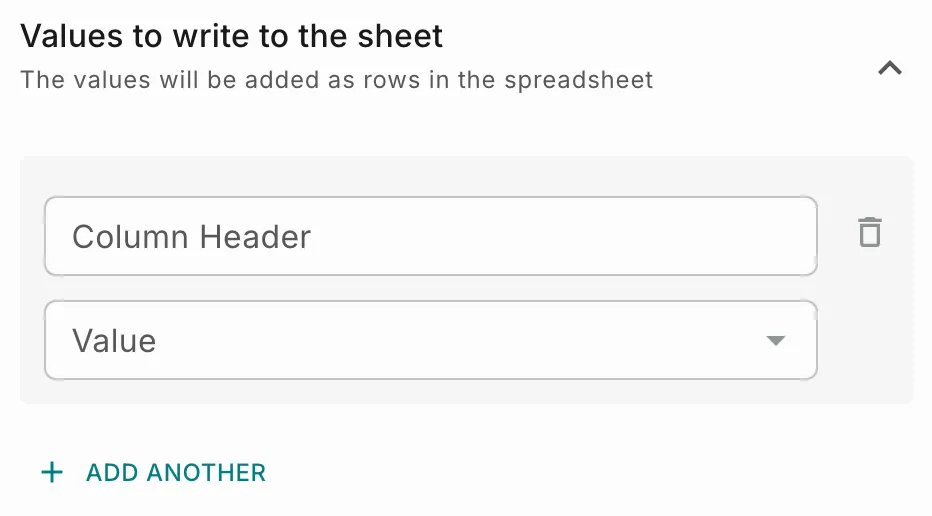
- For each mapping, specify:
- Column Header – The column in the selected worksheet where the data will be written.
- Value – The static value or workflow variable to write to the corresponding column.
- Click Add Another to create a new column mapping and repeat the process to add additional column mappings as required.
Google Spreadsheet
Use this option to connect to a Google Spreadsheet using a Google service account.
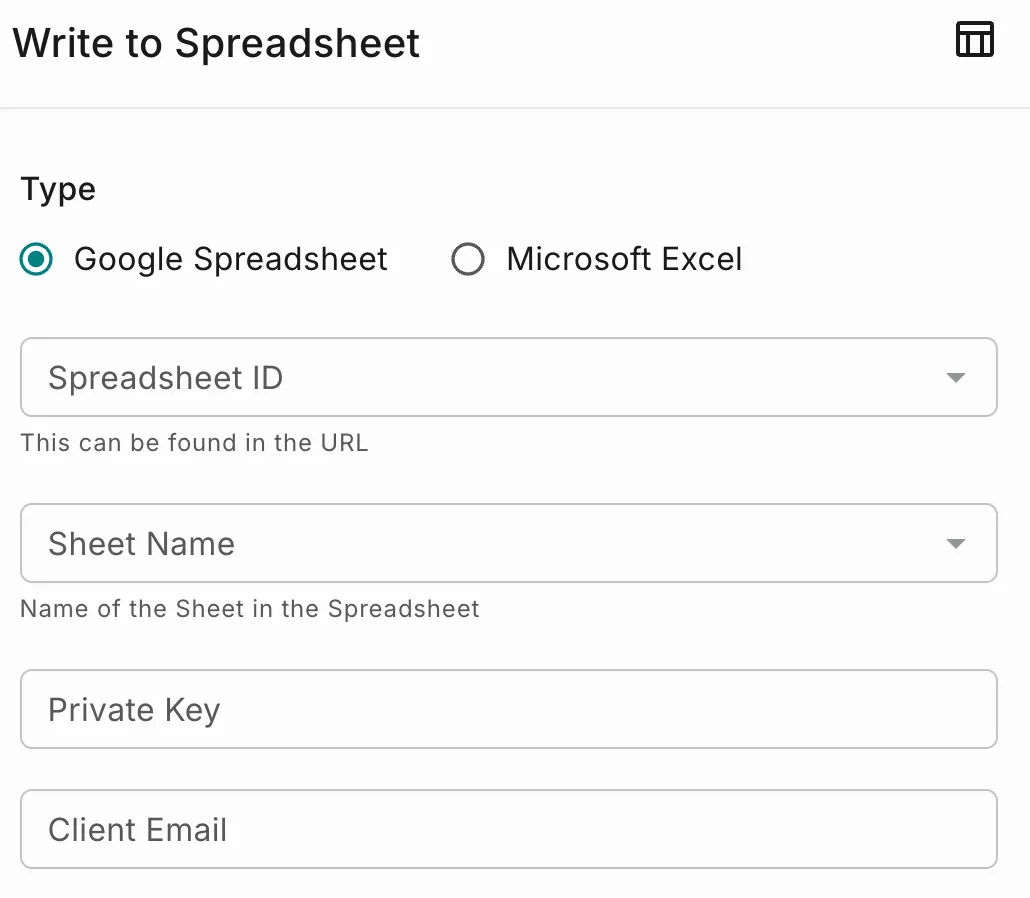
Configuration
After selecting Google Spreadsheet, provide the following details:
Values to Write to the Sheet
After selecting the worksheet, configure the values to write by mapping worksheet columns to workflow data.
- For each mapping, specify:
- Column Header – The column in the selected worksheet where the data will be written.
- Value – The static value or workflow variable to write to the corresponding column.
- Click Add Another to create a new column mapping and repeat the process to add additional column mappings as required.
Outcome
The Spreadsheet widget enables workflows to write data directly to external spreadsheets.
By supporting:
- Microsoft Excel.
- Google Spreadsheets.
- Static values.
- Dynamic workflow values.
- Multiple column mappings.
users can capture, organize, and share workflow-generated data efficiently.