

Simple Reply
A Simple Reply message is a text or media message that can only be sent as a reply to an existing conversation. No Meta approval is required.
This message type can be used only for replies and can’t initiate conversations.
Set Message Type to Simple Reply, then choose a Content Type. The fields below the selector change based on the content type.
For a list of supported media types, see Supported Media Types.
Text
Image
Audio
Video
File
Location
Sticker
Reaction
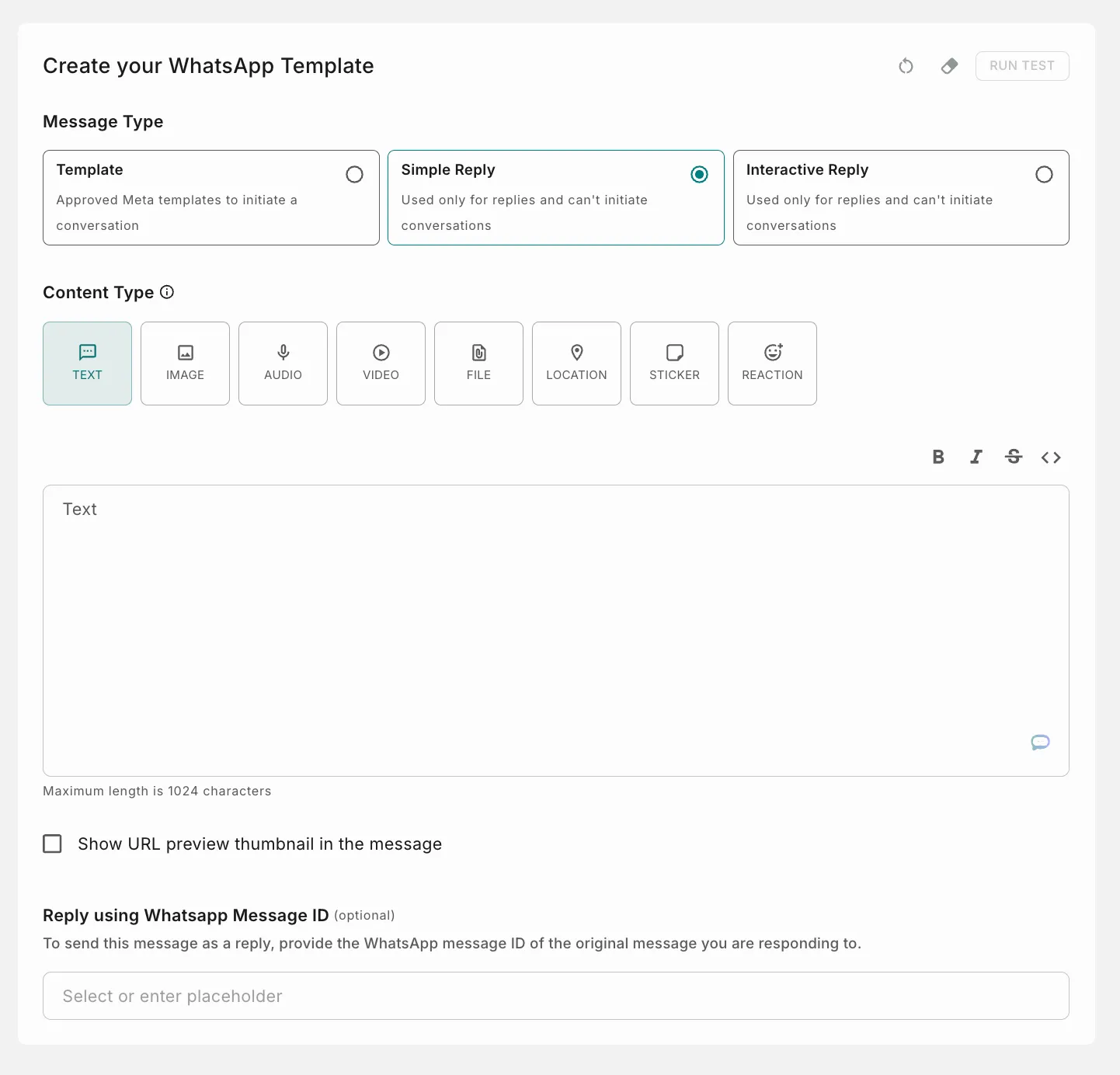
- Body: Enter the message text. Use the toolbar above the field for bold, italic, strikethrough and code formatting. Maximum length is 1024 characters.
- Show URL preview thumbnail in the message: Enable this to show a preview thumbnail for any URL in the message.
Reply using WhatsApp Message ID (optional): To send this message as a reply, provide the WhatsApp message ID of the original message you are responding to. You can select or enter a placeholder for it.
Service provider support for Simple messages and Reactions
Placeholders
Below the Channels section on the left, you can find placeholders. Placeholders are denoted by {{ }} or Handlebars. Click a placeholder to open a pop-up window where you can define its parameters. See the comprehensive guide on Handlebars.
You can use a period (.), underscore (_) or hyphen (-) within the handlebars. Try it now!
You cannot use only numeric values as placeholder keys.
When providing URLs for files in WhatsApp templates, redirected links (with multiple hops) will not work, as per Facebook policies.
How to add an unsubscribe link
Test and go live
Once your content is ready, test the template, then save it and go live.