Condition Operator in Single Channel Routes
A Condition in the flow builder lets you allow or prevent an action, depending on whether the condition is met. What you can achieve with it is limited only by your imagination.
When you add a Condition to a Single Channel Route, its panel has three parts:
- Key: What to check.
- Operator: How to compare it.
- Value: What to compare it against.
Key
The Key is the field or part of the notification you want to check. It can even be a part of the payload, not just the notification content.
The Key dropdown has these options:
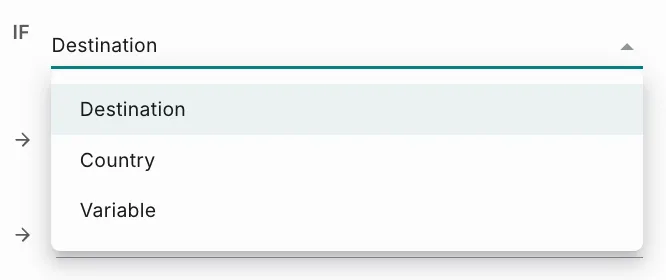
Destination
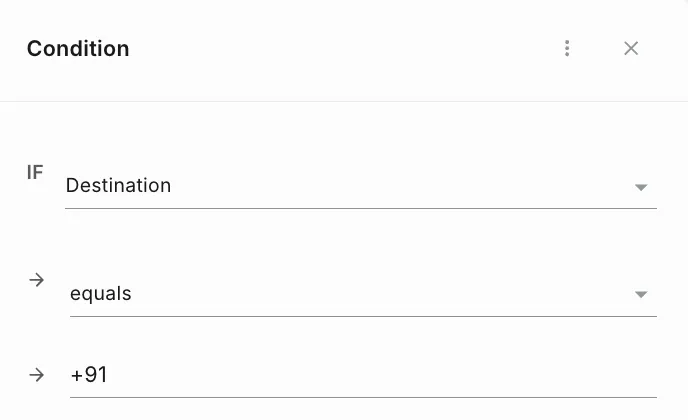
Destination is the recipient of the notification. A destination can be:
- Number: A mobile number, including the country code.
- Email ID: Personal, official and so on.
- ID token: A unique token for applications such as Push (Expo, FCM) or Chat (Slack, Teams).
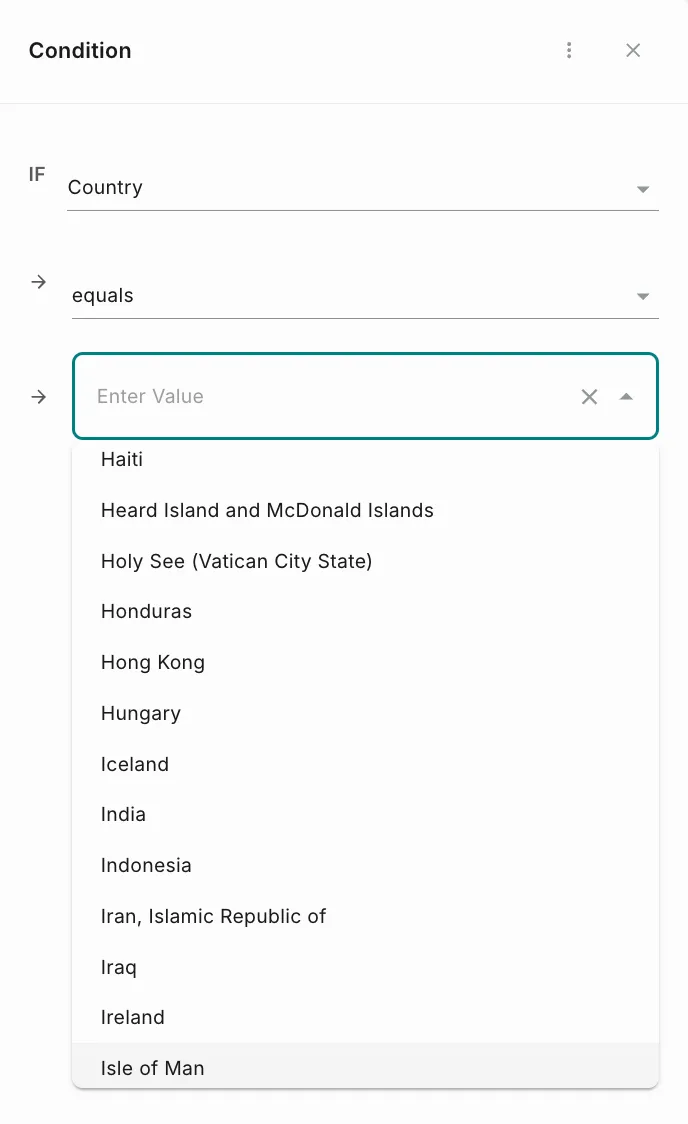
Country
Country applies a condition to notifications going to a specific country, identified by the country code of the phone number. Select the country from the list in the Value field.
You can use this in many ways, from blocking all traffic to specific countries to redirecting traffic through specific operators.
Variable
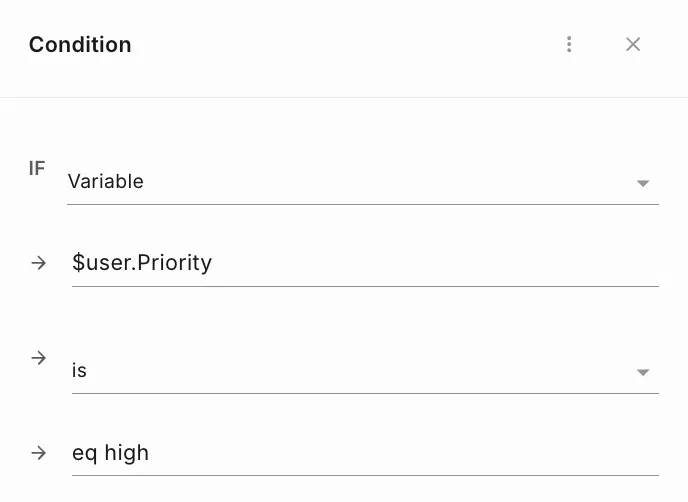
A Variable (a placeholder, or dynamic or replaceable parameter) is a part of a message that holds user-specific details. Enter the variable’s name in the Enter Variable field, then choose an operator and enter a value. For example, the condition below checks the user’s priority, using the variable $user.Priority.
Fyno can apply rules based on variable data. For example, you can identify OTP messages and route them through a premium provider, or block explicit or spam content that is not allowed.
Operator
An Operator applies the condition to the Key and returns the outcome. The operators available in Fyno are:
- Greater Than
- Less Than
- Greater Than or Equal
- Less Than or Equal
- Equals
- Starts With
- Ends With
- Contains
- In
- Is
- Is Empty
- Not In List
Combined with the Key, operators let you set rules that decide the outcome and the action that follows.
Value
The Value is what the Key is compared against using the Operator. When the comparison holds, the condition is True.
Condition outcomes
Every condition has two outcomes:
- True
- False
For each outcome, define what happens next by adding one of these:
- A Condition, to check something further.
- An Action, to send the notification.
- Do Nothing, to stop the notification. To do this, add an Action and choose the Do Nothing strategy.
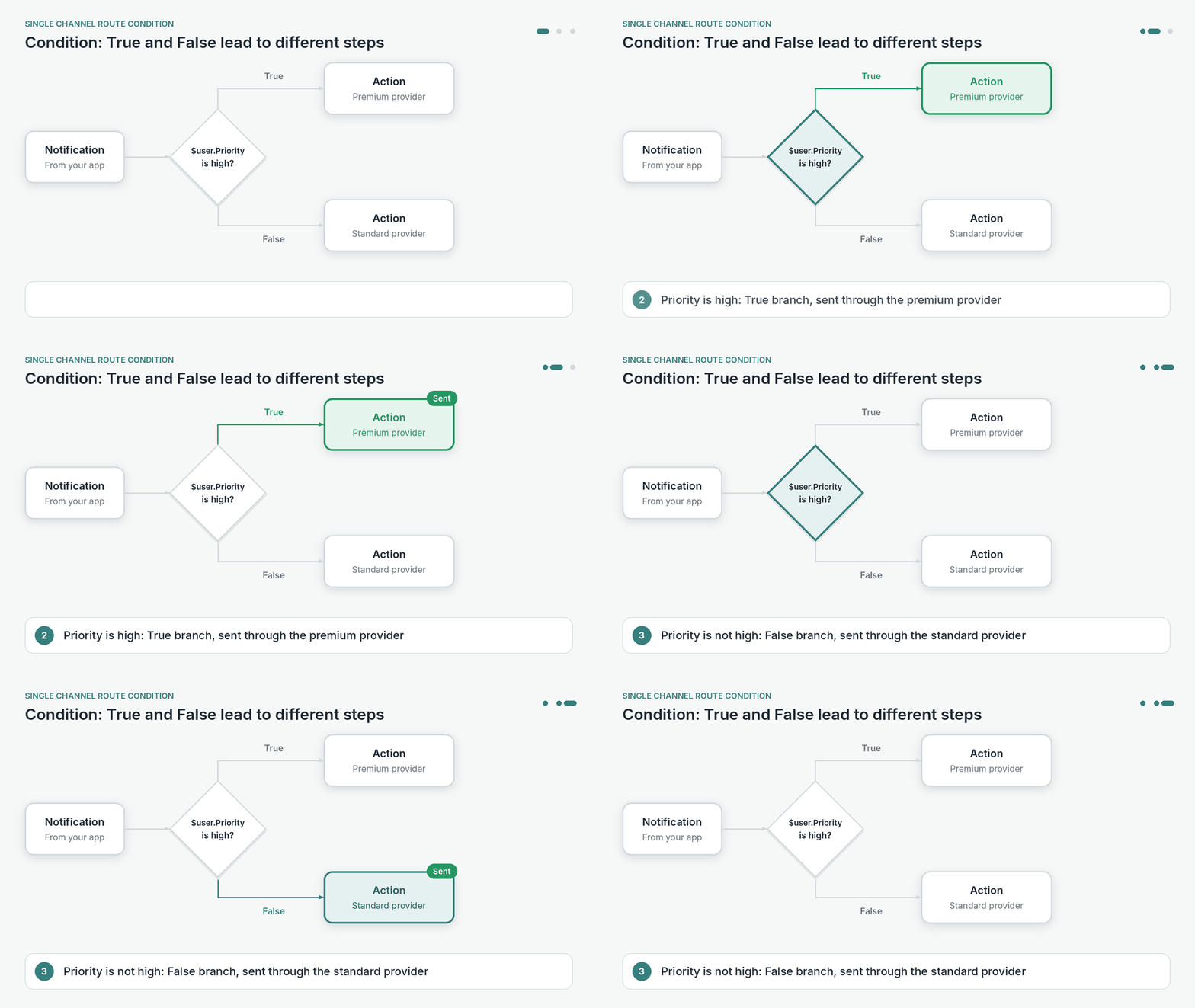
For example, the condition below sends high-priority notifications through a premium provider, and all others through a standard provider.
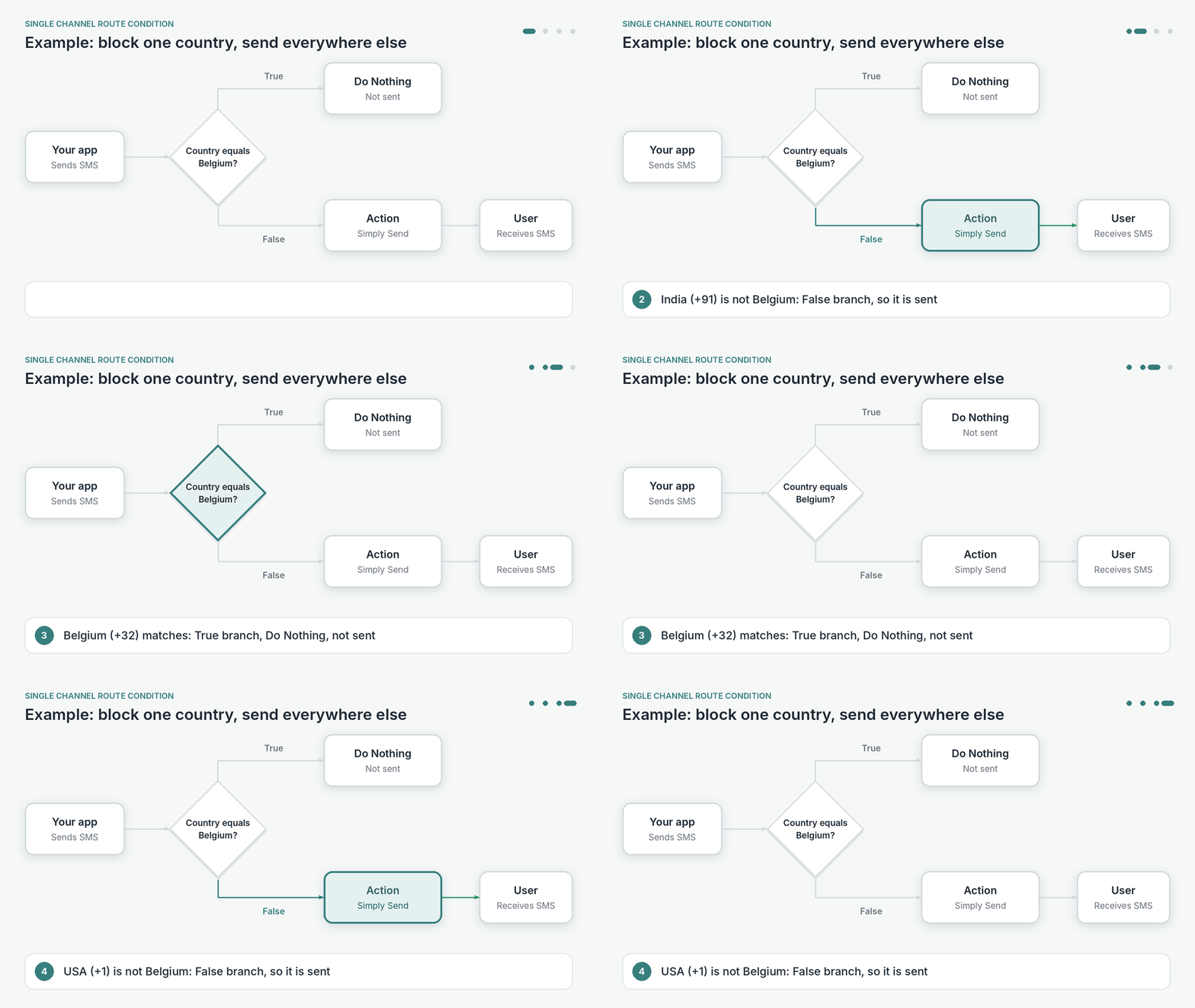
Example: block traffic to one country
Say the goal is to block traffic to Belgium, without affecting traffic to any other country.
Traffic to Belgium is now blocked, and traffic to all other countries follows the False branch.